1
Saved Prints header
File count + section label.
Title line. The small 'N files' counter on the right tells you how many G-code files are currently on the printer's storage.
Panel reference
Start a print from saved G-code files
Lists every G-code file uploaded to the printer's storage, sorted most-recent-first. Each file is a card with a slicer-generated thumbnail, name, size, and upload date. Tap a card to start that print.
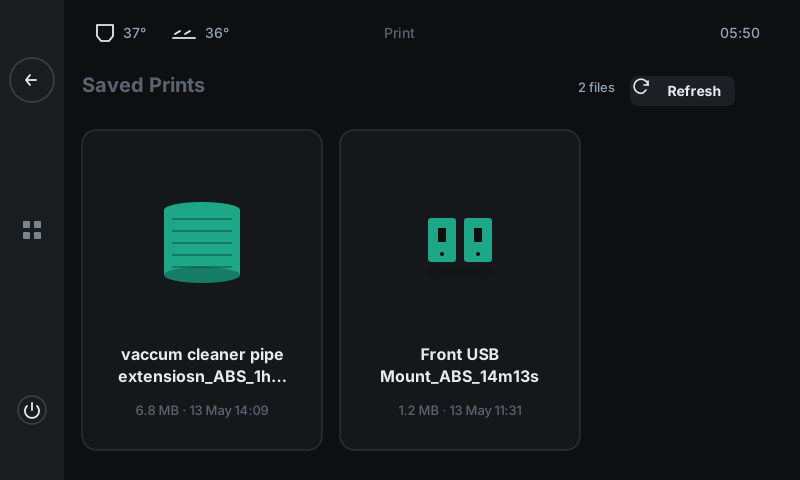
File count + section label.
Title line. The small 'N files' counter on the right tells you how many G-code files are currently on the printer's storage.
Re-scan storage.
Use this after uploading a new file from your laptop if it doesn't appear yet. Otherwise files appear automatically when they're uploaded via Moonraker.
One per uploaded G-code.
Thumbnail (generated by your slicer), filename (ellipsized when long), size, and upload date. Tap to start. The printer homes, heats to the slicer's commanded temperatures, runs a purge line, then starts the first layer.